CSS Grid and Flex
Hi, my name is oussama and i am a self-taught full stack javascript developer with interests in computers. I like the expend my knowledge and learn new things each day cause i always see the beauty in mystery.
Hello everyone, as the title says we're going to discus two of the most important concepts of CSS which are displays Grid & Flex.

i am a self-taught full-stack web developer and i'm still learning new stuff everyday , during my journey as a self-taught i made a lot of mistakes that i didn't realize there effect until a year later, where i faced a lot of problems that concerns the responsive design and also the disposition of the HTML elements. I couldn't make a simple design properly i was always confessing myself that i'm good so i don't see myself as a foolish beginner but i was wrong i was doing the whole thing wrong, i didn't give it the time to learn it so i can be good enough to make things as they should be done.
there is a quote that i love and i check it everyday while learning. The quote says: if you are not willing to look like a foolish beginner, you will never become a graceful master always remember that while you are learning new things in general so you can give the time it needs.
Anyway, let's get into our topic and start with the display Grid
- Display Grid
Grid => is CSS property to display elements in different places on the page, grid is a two dimensional display which means the elements goes in the directions rows and columns as you see in the following image
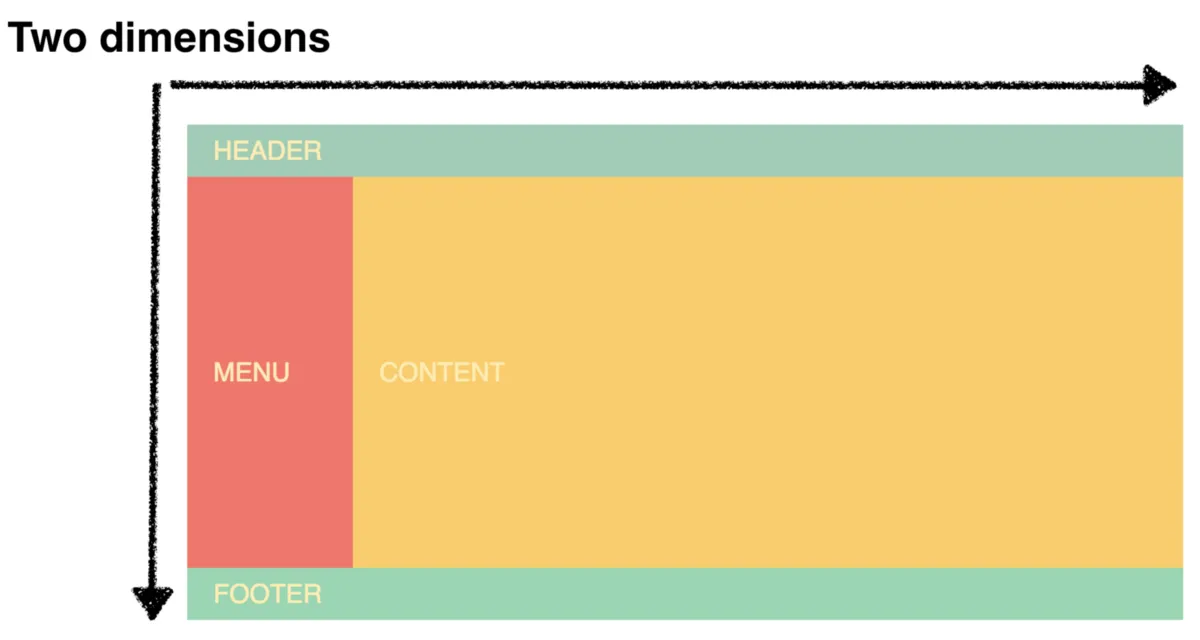
the disposition of the HTML elements depends on the wanted result and the layout you are working in cause it changes on each device

Now let's move to the display Flex
- Display Flex
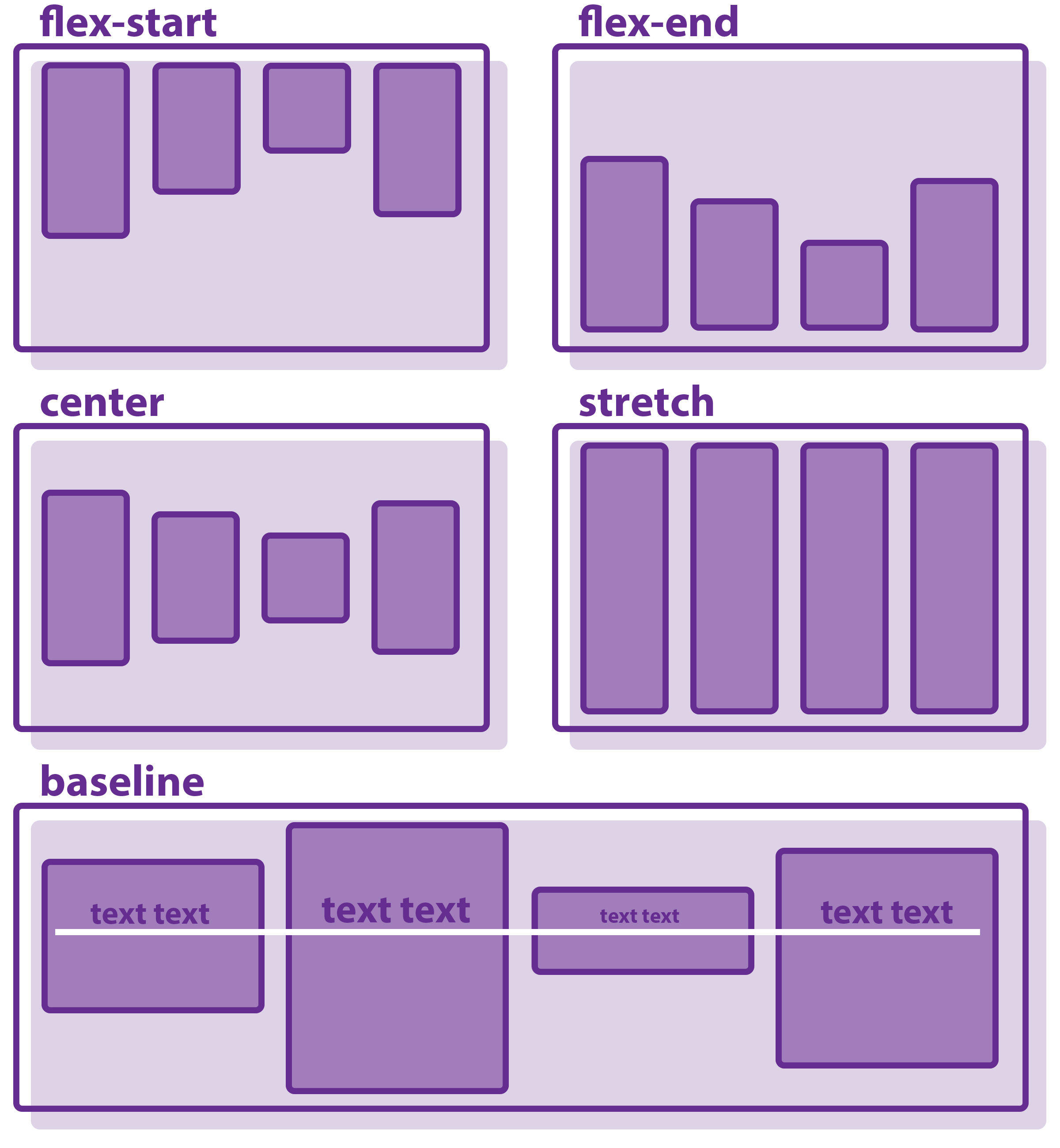
Flex => is a CSS property that display element in one dimensional way which is the columns or rows, it helps when it comes to the placement of the elements in a specific area (left, center, right)
here's the different flex dispositions in the layout
this was just a simple look on those two aspects, what i wanted to say is that you should give them the time needed to master them when you are learning CSS and don't be ashamed from making mistakes, learning from them is better than laying on yourself.
Some Resources to learn more:
Grid => %[https://css-tricks.com/snippets/css/complete-guide-grid/
Flex => %[https://css-tricks.com/snippets/css/a-guide-to-flexbox/
happy coding everyone !!!


